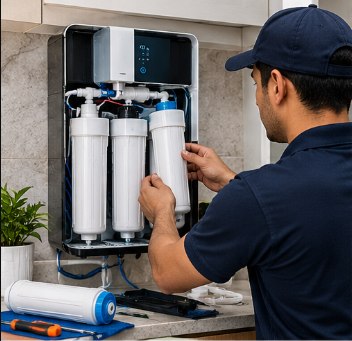
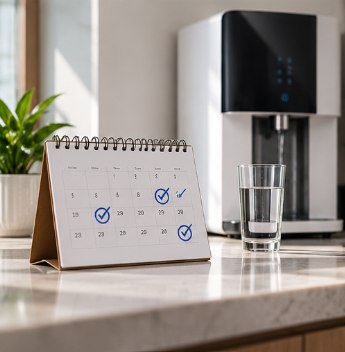
The simple answer: most home RO purifiers should be serviced every 3 to 6 months. The right interval for your home depends on your water source, how much water you use and the type of purifier. This guide gives you a realistic water purifier maintenance schedule and explains the reasons behind it.
The general rule: every 3 to 6 months
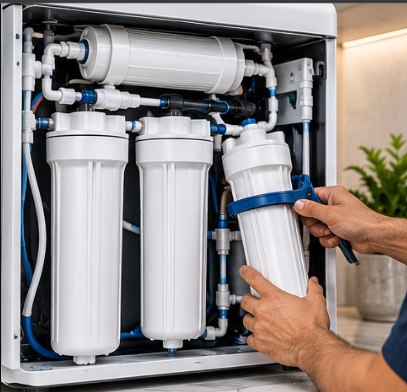
Inside an RO purifier, the sediment filter traps sand and rust, the carbon filters absorb chlorine and organic matter, and the membrane rejects dissolved salts. All of them slowly fill up. Servicing every few months keeps them working, catches small leaks early and keeps the storage tank clean.
- Every 3 months: borewell or tanker water, high-TDS water, or large families using a lot of water.
- Every 4 to 6 months: municipal water with low to moderate TDS and normal household use.
Typical replacement intervals for each part
These are general guides. Actual life depends heavily on water quality and usage.
| Part | Typical interval | What happens when it is worn out |
|---|---|---|
| Sediment filter | 6 to 12 months (sooner with dirty water) | Low flow, pump strain |
| Pre-carbon filter | 6 to 12 months | Chlorine damages the membrane |
| Post-carbon filter | 6 to 12 months | Flat taste or smell returns |
| RO membrane | 1 to 3 years | Output TDS rises, water tastes salty |
| UV lamp | About 1 year | Reduced protection against bacteria |
| UF membrane | 1 to 2 years | Slow flow at the final stage |
For signs that a filter is due and what replacements involve, see RO filter replacement: signs, timing and costs.
Why water source matters so much
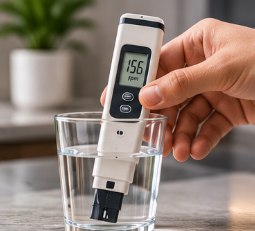
Water with high TDS or a lot of suspended particles is harder on every stage. A sediment filter that lasts a year on clean municipal water can choke within two or three months on tanker water. If you are unsure about your water, a quick TDS test tells you a lot. Our guide What is TDS in water? explains how to read the result.
Simple care between services
- Use the purifier daily. Standing water in the tank goes stale. If you are away for more than a week, drain the tank on your return.
- Keep it clean outside. Wipe the body and tap; keep the area dry.
- Watch the flow and taste. Slower filling or a change in taste is an early warning.
- Protect from power surges. A stabiliser or surge protector saves adaptors and pumps.
- Close the inlet valve if you leave home for a long trip.
Make it automatic with an AMC
An annual maintenance contract books your visits in advance, so you never miss a service. Read RO AMC plans explained to see what is usually covered.
If your purifier is already overdue, book a routine service and the technician will tell you which parts are actually due.
Frequently asked questions
What happens if I don't service my RO for a year?
Filters clog, the membrane scales up and bacteria can build up in the tank. You may get slow flow, bad taste, higher TDS and more strain on the pump, which often leads to a costlier repair.
Should I service my RO if I rarely use it?
Yes. Water standing in filters and the tank can grow bacteria. If the purifier has not been used for a few weeks, drain the tank and run it for a few minutes before drinking, and book a service if it has been idle for months.
Does a filter-change indicator replace servicing?
No. Most indicators count time or litres, not the actual condition of the filters. A technician's TDS and flow test is more reliable.
Need help with your purifier?
Share your purifier brand and the problem. We will call back with the next available slot.